


Table of Contents
The FIFA World Cup 2026 is unlike any football tournament you've been to before. Three host countries — the USA, Mexico, and Canada. Up to 16 different cities. A 38-day window with matches spread across thousands of kilometres. Every fan's itinerary is different, and that's exactly what makes preparation so important.
The challenge isn't enthusiasm — it's logistics. Entry requirements differ by country and by passport. Phone data plans that work in one city may leave you offline in the next. Stadium rules in North America are stricter than most fans expect. The people who have the smoothest experience at a World Cup are the ones who sorted these things out at home, not the ones figuring it out at the airport.
This World Cup 2026 travel checklist is organised by when to act — from the moment you book your tickets to the morning of your first match. Work through it in order, check items off as you go, and you'll be prepared for whatever the tournament brings.
At a Glance: Your World Cup 2026 Travel Checklist
Here is what this checklist covers:
- As soon as you book: Visas, ESTA, passport validity, travel insurance, and accommodation — before host cities sell out
- 4–8 weeks before departure: eSIM setup, essential apps, and travel cards with no foreign transaction fees
- 1–2 weeks before departure: Phone settings, packing list, and final document prep
- The night before each match: Ticket backup, stadium entry rules, transport planning, and device charging
- Match day morning: Final checks before you leave accommodation
- Crossing between countries: Data, currency, entry documents, and offline maps
✅ As Soon As You Book
This is the stage most fans skip — and the one that causes the most problems three months later. The moment your match tickets are confirmed, these tasks should follow.
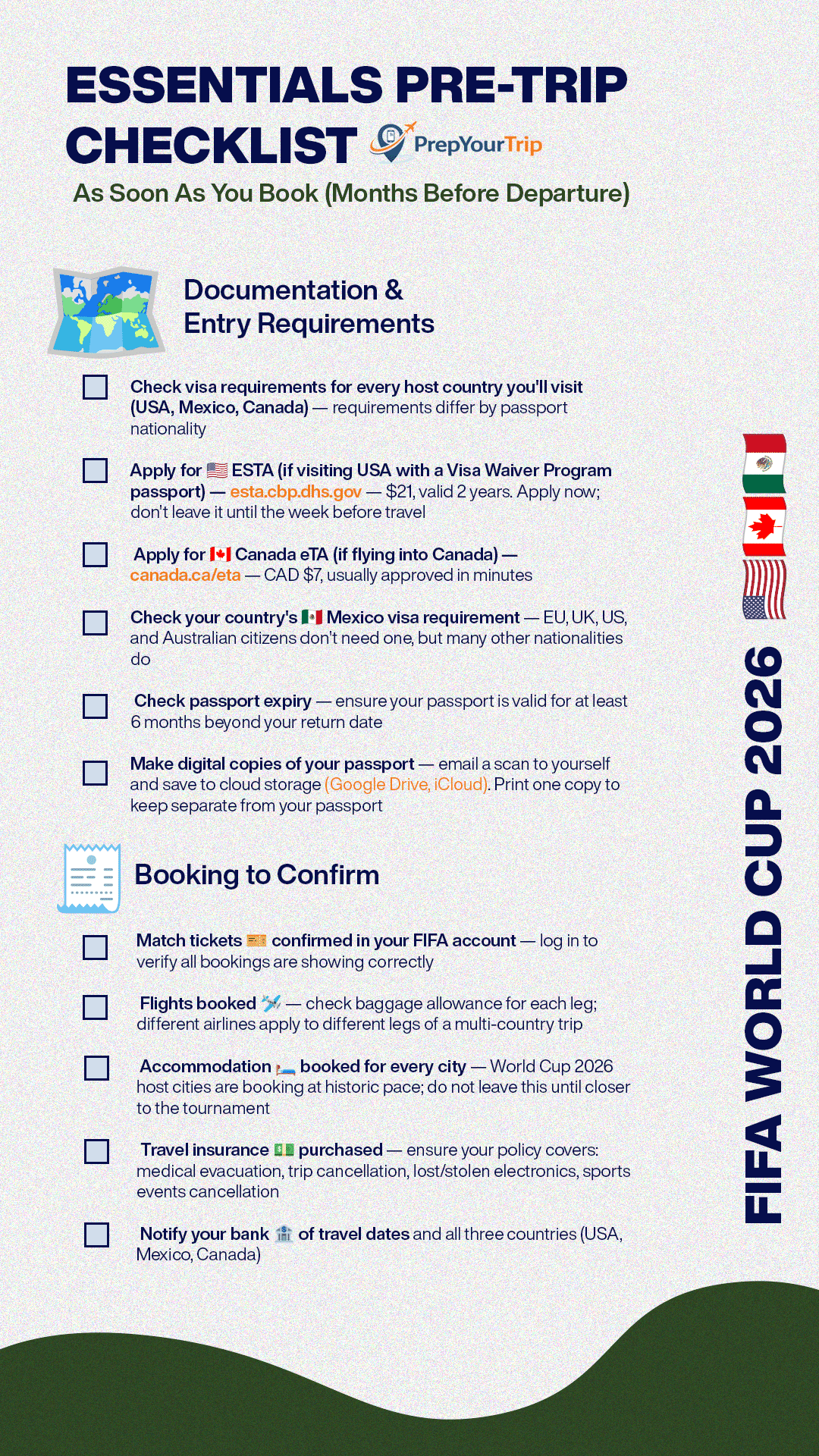
Visas and entry documents
World Cup 2026 covers three countries, and entry requirements are not the same for all of them. Which documents you need depends entirely on your passport nationality — there is no universal answer.
- USA: Most European, UK, Australian, and New Zealand passport holders enter under the Visa Waiver Program (VWP), but they need an approved ESTA before they fly. Apply at esta.cbp.dhs.gov — it costs $21, is valid for two years, and approval usually comes within minutes. Some nationalities require a full US visa; check the ESTA eligibility list if you're unsure. Either way, don't leave this until the week before travel.
- Canada: Visa Waiver countries flying into Canada need a Canada eTA (Electronic Travel Authorisation). Apply at canada.ca/eta — it costs CAD $7 and is approved in minutes for most applicants. Again, check whether your nationality qualifies for the eTA or requires a full visa.
- Mexico: EU, UK, US, and Australian citizens don't need a visa for Mexico. Many other nationalities do. Check the requirements for your specific passport — don't assume.
- Across all three countries: confirm your passport is valid for at least six months beyond your return date. Make digital copies of your passport and email them to yourself. Save copies in cloud storage (Google Drive or iCloud) and print one copy to keep separately from your actual passport.

Bookings to confirm
- Log in to your FIFA account and verify that all match tickets are showing correctly. Do this now, not two weeks before you travel.
- Check your flight bookings for baggage allowance. Multi-country trips often involve different airlines on different legs — baggage rules can differ between them.
- Accommodation in World Cup 2026 host cities is booking at an unusual pace. If you haven't secured hotels or apartments for every city on your itinerary, that is the most urgent task after visas. Major host cities during peak match windows will have very limited availability.
- Purchase travel insurance before you travel. A standard policy isn't enough for a trip like this — make sure yours covers medical evacuation, trip cancellation, lost or stolen electronics, and event cancellation specific to sports travel.
- Notify your bank of your travel dates and all three countries. Transactions from unfamiliar locations can trigger automatic freezes, which is a problem you don't want to deal with from a stadium in Dallas.

Travel with extra peace of mind during the 2026 World Cup with coverage for medical emergencies, delays, and unexpected travel issues across Canada.
✅ 4–8 Weeks Before Departure
Set up your eSIM
Mobile data at the World Cup matters more than at most trips. You'll be navigating unfamiliar cities, scanning digital tickets at turnstiles, coordinating with a group, and doing all of it with a battery under pressure. Getting your data setup right before you leave is one of the most practical things you can do.
An eSIM is a digital SIM card that works alongside your existing SIM. It lets you activate a local data plan without swapping physical SIM cards — and without paying your home carrier's international roaming rates. For World Cup 2026, a North America regional eSIM covering the USA, Canada, and Mexico on a single plan is the most practical option.
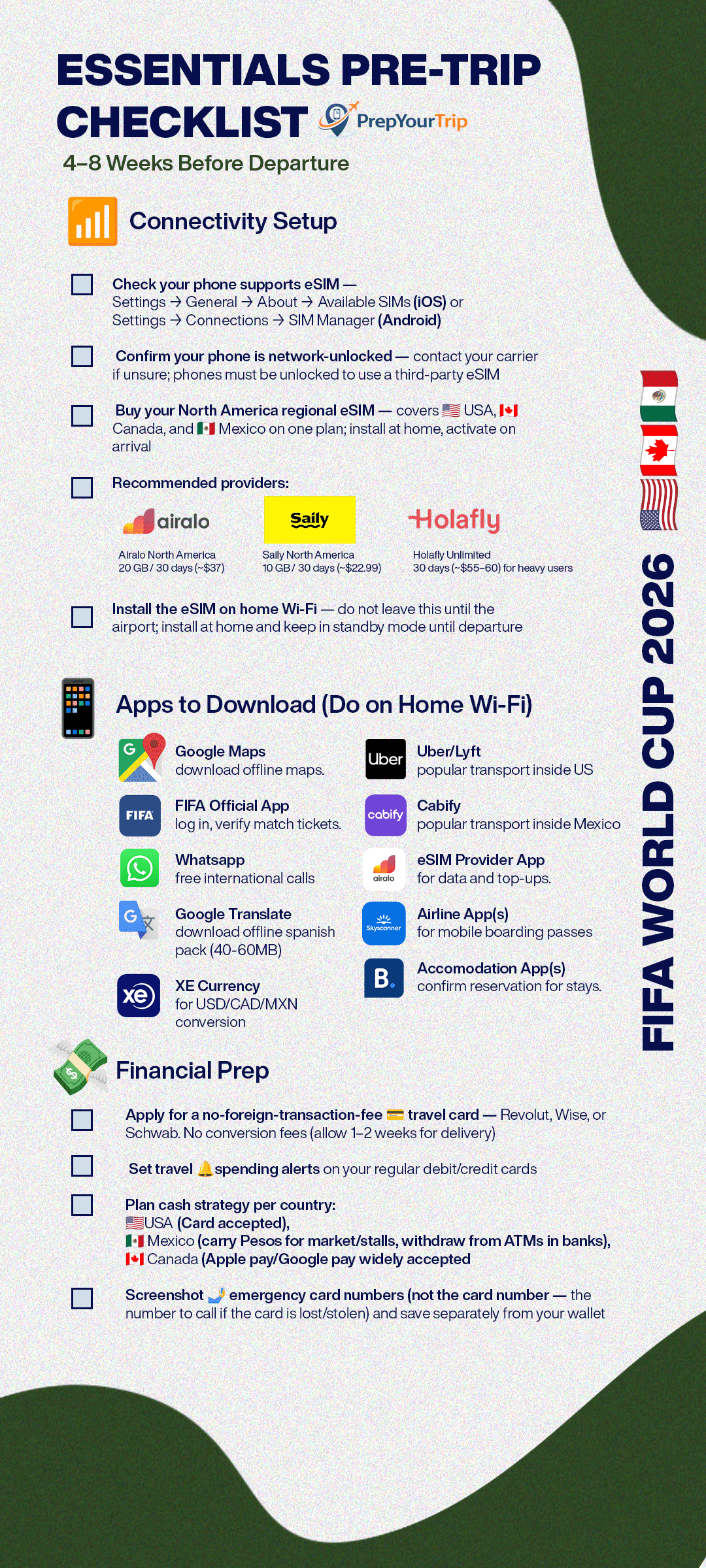
Before you buy, confirm two things. First, check that your phone supports eSIM — on iOS, go to Settings → General → About → Available SIMs; on Android, Settings → Connections → SIM Manager. Second, confirm your phone is network-unlocked. Contact your carrier if you're not sure. Locked phones cannot use third-party eSIM plans.
Regional North America eSIM options we recommend looking into:
- Airalo North America — 20 GB / 30 days (around $37)
- Saily North America — 10 GB / 30 days (around $22.99)
- Holafly Unlimited — 30 days (around $55–60), worth considering for heavy data users
Install the eSIM on home Wi-Fi, before you travel. Keep it in standby mode until you land in the first host country — that's when the plan activates and the validity period begins.

Covers USA, Canada, and Mexico on a single eSIM. No swapping, no reactivation when you cross a border.
➡ Full eSIM comparison: Best eSIM for World Cup 2026
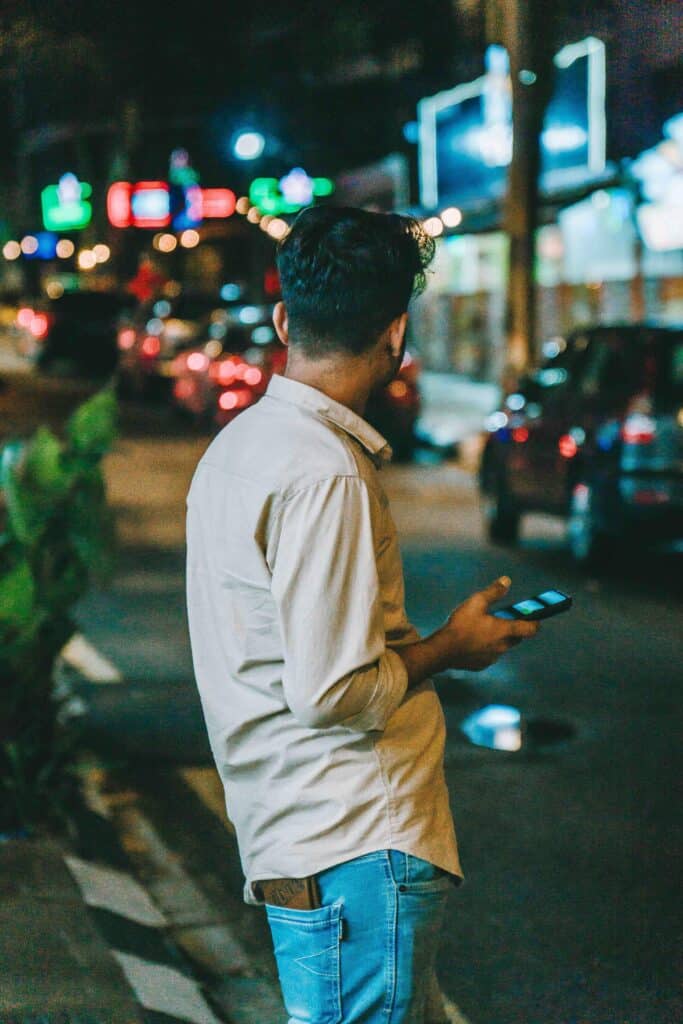
Download your apps on home Wi-Fi
These take up storage and use data to download. Do it at home, not at the airport.
- FIFA Official App — log in, verify match tickets are visible under “My Tickets”
- Google Maps — download offline maps for every host city on your itinerary
- Uber — confirm account active, payment method saved and working
- Lyft — download as backup to Uber for US cities
- Cabify — download for Mexico (strong Uber alternative in MX cities)
- WhatsApp — set up for free international calls and messaging
- Google Translate — download offline Spanish language pack (40–60 MB) for Mexico
- XE Currency — for USD / MXN / CAD conversion
- Your eSIM provider's app (Airalo, Saily, or Holafly) — for data monitoring and top-ups
- Your airline app(s) — for mobile boarding passes and real-time flight alerts
- Your accommodation apps (Booking.com, Airbnb, Hotels.com) — confirm reservations visible
➡ Full app breakdown: Best apps for the World Cup 2026
Get your travel card sorted
- Spending across three currencies (US dollars, Mexican pesos, and Canadian dollars) adds up fast if you're using a standard bank card with foreign transaction fees. Apply for a travel-friendly card 4–8 weeks out to allow delivery time.
- Cards worth looking at: Revolut, Wise, and Charles Schwab all work well across USD, MXN, and CAD with no conversion fees. Set up travel spending alerts on your regular cards as a backup.
- Cash strategy differs by country. In the USA and Canada, cards and contactless payment (Apple Pay, Google Pay) are accepted almost everywhere — cash is rarely necessary. In Mexico, it's the opposite: many smaller vendors, market stalls, and some stadium areas prefer cash. Carry Mexican pesos for your time there and withdraw from ATMs inside banks or shopping centres rather than airport exchange booths, which have poor rates.
- Screenshot the emergency contact numbers for your cards — not the card number itself, but the number to call if your card is lost or stolen. Keep this saved separately from your wallet.
✅ 1–2 Weeks Before Departure
Final phone and digital setup
- Screenshot all your match tickets from the FIFA app and save them to your camera roll. Stadium Wi-Fi and mobile networks at capacity events can be slow — having your ticket saved offline removes one source of stress at the turnstile.
- Download boarding passes for all flights as they become available.
- Set data roaming to OFF on your home SIM before you land in the first host country. If data roaming is on and your eSIM hasn't activated yet, your home SIM may start racking up international charges automatically.
- Set your eSIM as the default data line in phone settings. Confirm it will activate as soon as your home country data ends. Set a data usage alert at 80% of your eSIM plan — this gives you time to top up before you run out.
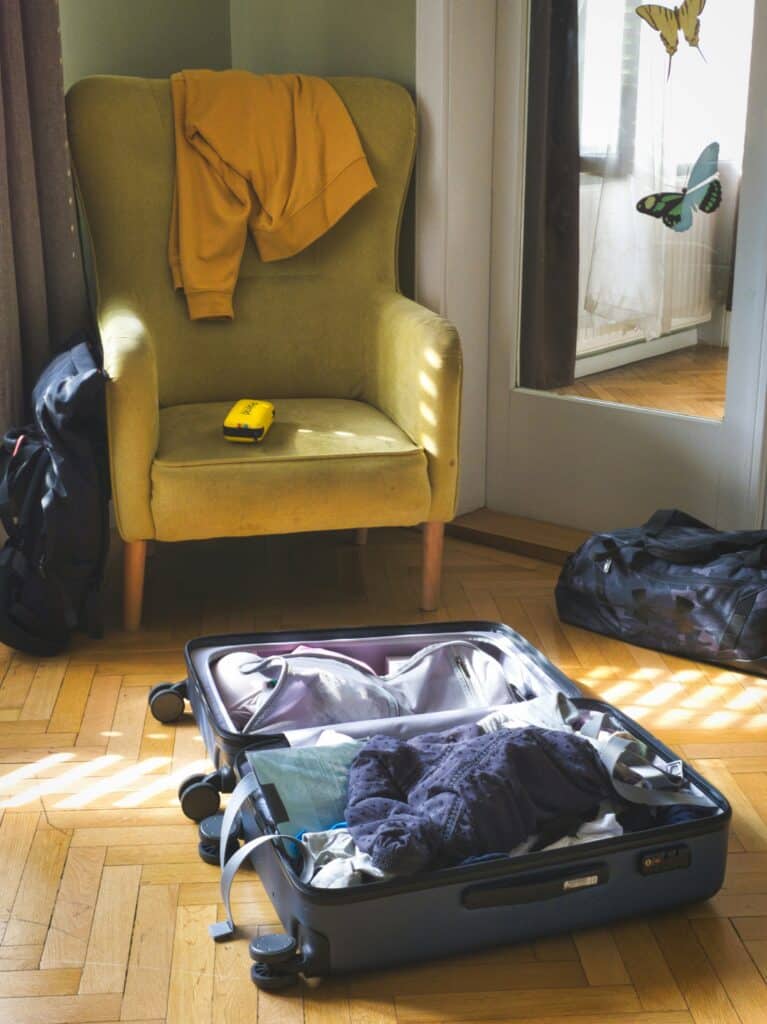
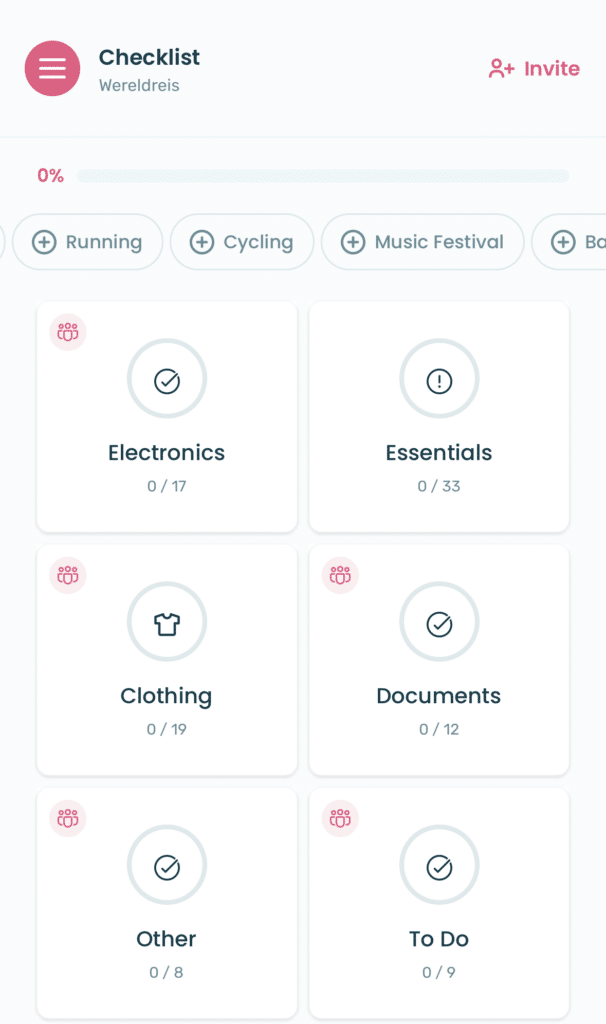
Packing Checklist
Documents — keep all of these in hand luggage:
- Passport, plus separate photocopies stored elsewhere in your bag
- ESTA approval or Canada eTA confirmation (digital is fine)
- Match ticket printouts as a backup (optional but recommended for peace of mind)
- Travel insurance policy document and the emergency contact number
- Hotel or accommodation confirmation for each city
Electronics:
- Phone and charging cable
- Portable power bank — 20,000 mAh minimum. Match days are long, stadiums are often far from accommodation, and your phone will be working harder than usual (GPS, tickets, photos, group chats). A 10,000 mAh bank is the bare minimum; 20,000 mAh gives you full peace of mind
- Universal travel adaptor — the USA, Canada, and Mexico all use Type A/B flat-pin plugs, which are different from most European and Asian sockets
- Earphones or headphones for long-haul flights and transit
- Camera if you want one, though most modern phone cameras are more than capable
- Laptop or tablet with a protective sleeve if needed
Clothing — adjust for your specific cities:
- Your national team shirt(s) — the most important item on this list
- 3–4 lightweight, quick-dry t-shirts
- 1–2 pairs of comfortable walking shorts or trousers
- A light rain jacket — essential for Vancouver and Seattle; useful in New York and most other venues
- Comfortable walking shoes. Expect 15,000–25,000 steps on match days. Blisters are one of the most common complaints from World Cup travellers; break in new shoes before you go
- Sandals for hotel days and hot weather
- One smart-casual outfit for restaurants or evenings out
- A warm layer for air-conditioned venues. US stadiums and indoor venues run aggressive air conditioning — always carry something light regardless of the temperature outside
Health & Wellbeing:
- Sunscreen SPF 50+ — essential for Miami, Dallas, Houston, and Monterrey
- Sunglasses and a hat for fan zones and long walks between venues
- A reusable water bottle — tap water is safe in US and Canadian stadiums; use bottled water in Mexico
- Prescribed medications, with documentation if flying into the USA (some medications require proof of prescription at US customs)
- Basic first aid: pain relief, blister plasters, antihistamines, and anti-diarrhoeal medication — a sensible precaution for Mexico if you have a sensitive stomach on unfamiliar food
- Hand sanitiser
Stadium bag — check the FIFA and venue policy before match day:
- A clear bag. Most North American stadiums enforce a clear bag policy — bags must be transparent (clear plastic, vinyl, or PVC), typically no larger than 12″×6″×12″ (around 30×15×30 cm). Small clutch bags up to approximately 4.5″×6.5″ are usually permitted regardless of material. Check the specific rules for each venue on the FIFA website before you leave for the match
- Your power bank — most stadiums allow them, but some have capacity limits; confirm in advance
- Snacks if permitted — outside food rules vary by venue
- Ear protection if you're bringing children — stadium noise at capacity events regularly exceeds 100 dB
✅ The Night Before Each Match
- The night before is when preparation becomes the match day experience. Don't leave these for the morning.
- Open the FIFA app, load your ticket, and screenshot the QR code — save it to your camera roll. Check your seat number and stadium section, and find it on the offline stadium map you downloaded earlier. Review the entry policy for that specific venue: clear bag rules, banned items, and anything unusual.
- Check the weather forecast and adjust what you're wearing or packing accordingly.
- Download your post-match route while you still have easy access to data. Save your hotel address, the nearest transit stop, and a walking route in Google Maps offline. Consider pre-booking your post-match Uber or Lyft using the Schedule a Ride feature — this locks in a fare before the post-match surge that follows every major match.
- If you're with a group sitting in different sections, agree on a meeting point before you go in. Agree it specifically: an entrance gate, a landmark outside the stadium, a street corner. Don't try to coordinate 80,000 people leaving at once via WhatsApp.
- Charge everything to 100% the night before: phone, power bank, camera, earphones. Check your eSIM data balance and top up if you're below 20% of your plan.
✅ Match Day Morning
The morning checklist is short by design. Most of the work is already done.
- Confirm your power bank is charged and in your bag. Open the FIFA app and verify your ticket loads correctly before you leave accommodation — not at the turnstile, where network congestion can slow everything down.
- Check transport updates for the day. Stadium events sometimes cause disruptions to local transit; check Google Maps or the local transit app for any alerts before you set off.
- If it's going to be a long day — which most match days are — enable Low Power Mode on your phone to extend battery life. Set your screen to maximum brightness before you reach the turnstile; the QR scanner needs a clear, bright display to read your ticket. You can lower it again once you're inside.
- Send your match day itinerary to a trusted contact at home: stadium name, seat number, accommodation address, and the emergency contact number for the host country you're in. It takes two minutes and it matters if something goes wrong.
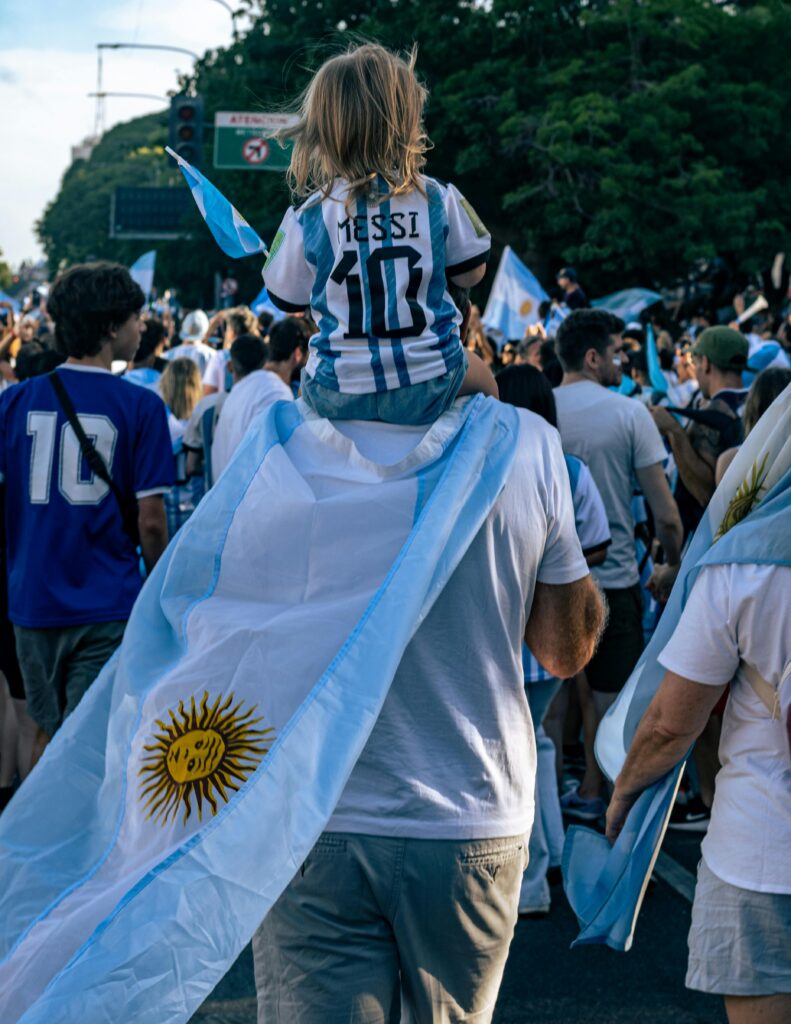
✅ Crossing Between Countries
Data and connectivity
If you have a North America regional eSIM, no action is needed when you cross between the USA, Canada, and Mexico — the plan covers all three. Check your plan details to confirm before you travel. Download offline maps for your next city while you're still on hotel Wi-Fi in the previous one.
Download the Google Translate offline Spanish pack before you arrive in Mexico if you haven't done so already.
Currency and cash
Don't rely on airport currency exchange booths — rates are consistently poor at all three countries' airports. Withdraw cash from an in-city bank ATM after you arrive. Have some local currency ready for your first hours in each new country.
Entry documents
Have your ESTA, eTA, or visa documentation accessible on your phone or in print when you cross into a new country. Border processing at land crossings can move quickly, and having your documents ready avoids delays.
Staying Connected During the World Cup
Staying connected across three countries is one of the most practical challenges of a multi-city World Cup trip. Getting it right before you leave avoids the two most common problems we see: roaming bill shocks and going offline at exactly the wrong moment.
Why your home SIM isn't enough
Most European, UK, and Australian carriers charge significant daily roaming fees for the USA, Mexico, and Canada. A 38-day trip across three countries adds up fast — often to several hundred euros or pounds in unexpected charges. Even carriers with generous EU roaming packages typically don't extend those to North America.
The practical answer for most fans is a regional eSIM covering all three host countries on a single prepaid plan.
How to choose an eSIM for World Cup 2026
We've covered this in detail in our dedicated eSIM guide, but here's a quick summary of what to look for:
- Coverage in all three countries: USA, Canada, and Mexico should all be included in one plan. Don't buy three separate country SIMs — it's unnecessary and more expensive.
- Sufficient data: A multi-week World Cup trip involves consistent navigation, messaging, ticket scanning, and social media. We recommend a minimum of 15–20 GB for a two-to-three week trip. If you're there for longer or stream heavily, consider an unlimited plan.
- Validity period: Match your plan length to your trip. Most regional plans come in 15-day, 30-day, or 60-day options. A 30-day plan covers most fan itineraries.
- eSIM compatibility: Your phone must support eSIM and be network-unlocked. Check before you buy — returning an eSIM after purchase isn't always straightforward.
What we recommend
For most fans attending World Cup 2026, a North America regional eSIM from Airalo, Saily, or Holafly covers the trip well. Install it on home Wi-Fi before you leave, keep it in standby mode, and activate it when you land. Your home SIM stays in your phone and continues to receive calls and texts.
Covers USA, Canada, and Mexico on a single eSIM. No swapping, no reactivation when you cross a border.
➡ Best eSIM for World Cup 2026
Frequently Asked Questions
When should I buy my eSIM for the World Cup 2026?
You can purchase an eSIM at any point before your trip, but we recommend buying it 1–2 weeks before departure. This gives you time to install it at home on Wi-Fi and troubleshoot any compatibility issues before you travel. Install the eSIM in standby mode — don't activate it until you arrive in the first host country, as activation starts the validity period of your plan.
What is the clear bag policy at World Cup 2026 stadiums?
Most North American stadiums enforce a transparent bag policy. Bags must be clear plastic, vinyl, or PVC and typically no larger than 12″×6″×12″ (approximately 30×15×30 cm). Small clutch bags up to around 4.5″×6.5″ are usually permitted regardless of material. Rules can vary slightly between venues, so check the specific policy for each stadium on the FIFA website before match day — don't assume the rules are the same across all 16 host cities.
Do I need printed match tickets or is the digital FIFA app sufficient?
The digital ticket in the FIFA Official App is the primary entry method at World Cup 2026 venues. A printed QR code is accepted as a backup at most venues. We recommend screenshotting your ticket to your camera roll before match day — stadium network congestion at peak turnstile times can slow down the app enough to cause problems. Having the screenshot available offline means you're not dependent on a data connection at the worst possible moment.
Should I book accommodation in the same city as each match, or use a hub city?
Both approaches work, but they involve different trade-offs. Using a hub city — New York for northeast US matches, Dallas for central US — and flying or taking transit between venues reduces the number of times you move accommodation. However, flights between World Cup host cities will be heavily booked; build time buffers between arrivals and kick-off. We'd suggest never scheduling a match the same day you fly in if it can be avoided.
What do I do if I lose my phone at the World Cup?
Contact your eSIM provider's emergency line to suspend the plan. Use Find My iPhone (icloud.com) or Google Find My Device (google.com/android/find) from any browser to locate or lock the device. File a police report — this is required by most travel insurance policies for any theft or loss claim. Contact FIFA ticketing support with your booking reference; they have processes for ticket reissuance with ID verification. This is why keeping ticket screenshots, knowing your IMEI number, and backing up photos daily all matter more than usual on a trip like this.
Is it safe to drink tap water in all three host countries?
In the USA and Canada, tap water at stadiums and venues is safe to drink — a reusable water bottle will serve you well. In Mexico, we recommend using bottled water as a precaution, including for brushing teeth if you have a sensitive stomach. This is standard advice for most travellers visiting Mexico for the first time and particularly relevant for fans who want to stay healthy throughout a multi-week tournament.
How much cash should I carry in each country?
In the USA and Canada, cards and contactless payment are accepted almost everywhere — you can get by with very little cash. In Mexico, carry a larger amount of local pesos. Many smaller restaurants, market stalls, local transport options, and some stadium-adjacent vendors in Mexican host cities are cash-preferred or cash-only. Withdraw from ATMs inside banks or shopping centres; avoid airport exchange counters.
Do I need travel insurance for the World Cup 2026?
Yes, and a standard holiday policy often isn't enough for a trip like this. Look for a policy that covers medical evacuation (costs in the USA are extremely high without insurance), trip cancellation, lost or stolen electronics, and if possible, event-specific cancellation. Buy your policy as soon as your trip is confirmed — that's when cancellation cover kicks in, and it's the cover you're most likely to need if something goes wrong before you even fly.
Final Thoughts
Most of the things that go wrong at a World Cup — roaming bill shocks, missed entry for the wrong bag, dead phones at the turnstile, scrambling for accommodation — have one thing in common: they were avoidable. Not with expensive solutions or specialist knowledge, just with a bit of time spent before departure.
This World Cup 2026 travel checklist is designed to be worked through in order, starting the moment your tickets are confirmed. The tasks at the “as soon as you book” stage genuinely can't be left until later — accommodation in host cities is limited, visa applications take time, and eSIM installation is much harder to troubleshoot from an airport than from your kitchen. Use this checklist as your single reference point from booking to match day.
Get the preparation done early, and the tournament itself can be exactly what it's supposed to be.
➡ Best eSIM for World Cup 2026
➡ Best apps for the World Cup 2026
➡ PrepYourTrip Travel Insurance Guide
➡ World Cup 2026 Travel Guide
Add your first comment to this post