


Table of Contents
The FIFA World Cup 2026 is unlike any tournament before it. 48 teams, 104 matches, 16 host cities spread across the USA, Mexico, and Canada. It's the most ambitious edition in the history of the competition — and for millions of fans, it will be their first time travelling to North America.
That combination creates a specific problem. North America operates differently from Europe or Asia. Distances are enormous. Stadium rules are strict. Mobile data is expensive if you get it wrong. And the gap between a city like Vancouver and a city like Monterrey — in climate, culture, transport, and safety — is bigger than most people expect.
The good news: almost every mistake fans make at a World Cup is avoidable. We've put together this guide covering the 15 most common ones — from roaming bill shocks to missed stadium entry — along with exactly what to do instead. Read it before you fly, and you'll be ahead of most people in the crowd.
World Cup 2026 Mistakes at a Glance — Quick Reference
| # | Mistake | Fix |
|---|---|---|
| 1 | Activating carrier roaming without realising it | Buy a regional eSIM. disable home SIM roaming |
| 2 | Buying a single-country eSIM when visiting three | Get a North America regional plan |
| 3 | Not downloading match tickets offline | Screenshot your FIFA app ticket the night before |
| 4 | Underestimating inter-city travel distances in the USA | Plan flights between non-adjacent host cities |
| 5 | Booking accommodation in the wrong location | Check the transit link to the stadium before you book |
| 6 | Ignoring the clear bag policy | Use a transparent stadium bag |
| 7 | Using unlicensed taxis in Mexico | Uber or Cabify only in Mexican host cities |
| 8 | Scheduling a match on the day you arrive | Build at least one full day buffer after international flights |
| 9 | No group meeting point agreed in advance | Agree on a specific landmark before entering the stadium |
| 10 | Underestimating the heat | Hydrate. wear light clothing. use SPF 50 |
| 11 | Not carrying local cash in Mexico | Withdraw Mexican Peso from a bank ATM on day one |
| 12 | Not checking eSIM compatibility before you travel | Verify your phone supports eSIM before buying |
| 13 | Leaving accommodation booking too late | Book now. or look at adjacent city alternatives |
| 14 | Forgetting to charge your power bank | Add it to your night-before checklist |
| 15 | Assuming every host city is the same | Read the city guide before each destination |
Mistake 1: Activating Carrier Roaming Without Realising It
This is the most expensive mistake fans make — and it happens before they've even left the airport.
You land in the USA, turn off airplane mode, and your home SIM automatically connects to a local network. If you don't have a roaming plan, your carrier starts billing you at pay-per-use rates. Verizon charges around 2.05 per MB on their standard pay-per-use rate. AT&T and Verizon day passes cost 10–12 per day — but only if you've activated them in advance. Without a plan, a single day of normal smartphone use (maps, messaging, checking scores) can cost $50–200.
Thirty days of day passes at $10–12 each adds up to$300–360 — and most US carrier day passes don't cover Mexico or Canada either, so you'd still need a separate solution for those parts of your trip.
What to do instead:
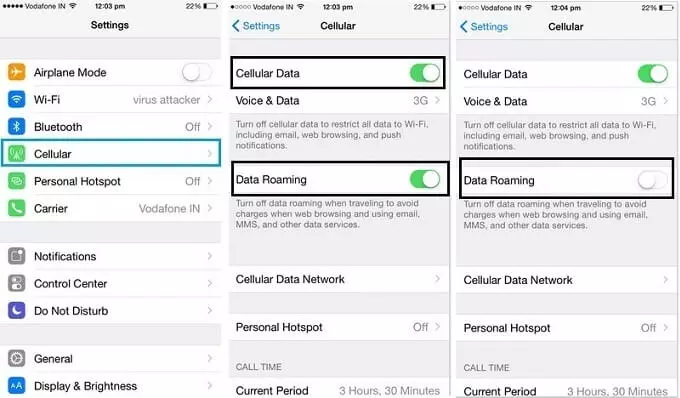
Before you leave home, buy a North America regional eSIM from a provider like Airalo, Saily, or Holafly. Once it's installed and activated, go to your phone settings and turn off data roaming on your home SIM:
- iPhone: Settings → Cellular → [your home SIM] → Data Roaming → Off
- Android: Settings → Connections → SIM Manager → [your home SIM] → Roaming → Off
With this setup, your eSIM handles all data. Your home SIM stays active in the background for calls and texts, but it won't rack up data charges.

Covers USA, Canada, and Mexico on a single eSIM. No swapping, no reactivation when you cross a border.
➡ How to stay connected without roaming fees
Mistake 2: Buying a Single-Country eSIM When You're Visiting Three
The World Cup spans the USA, Mexico, and Canada. If you buy a “USA eSIM” and then travel to Mexico City for a group stage match, you have no coverage. Your options at that point are expensive airport SIMs or patchy hotel Wi-Fi.
Some fans go the other direction and buy three separate country plans — one for each host nation. That creates a different problem: three activation windows, three data balances to track, and the risk of one plan expiring mid-tournament while you're still in that country.
What to do instead:
Buy a single North America regional eSIM that covers all three countries from day one. Airalo, Saily, and ByteSIM all offer regional plans that work seamlessly across the USA, Mexico, and Canada. Cross a border and coverage continues automatically — no switching, no topping up, no managing multiple plans.
Check the data allowance carefully. A multi-week trip with heavy navigation and media use will need at least 10–15GB. Some providers offer unlimited plans; others are capped. Read the fine print before you buy.
➡ Best eSIM for World Cup 2026
Mistake 3: Not Downloading Match Tickets Offline
Picture this: you're at the turnstile at MetLife Stadium, 82,500 fans are streaming in around you, and the FIFA app won't load. The stadium network is overloaded. Your ticket is in the app. The gate attendant is waiting.
This is not a hypothetical. It happens at every major stadium event when tens of thousands of people simultaneously try to access the same app on the same network. At Estadio Azteca — capacity 83,000 — the situation is even more pronounced.
What to do instead:
The night before every match, open the FIFA app while you have a stable Wi-Fi connection and let your ticket fully load. Then take a screenshot of the QR code and save it to your camera roll. This screenshot works at stadium turnstiles even when the app itself refuses to open.
A few extra tips for match day:
- Set your screen brightness to maximum before joining the entry queue — dim screens cause scanning errors
- Make sure your screenshot is taken of the full QR code, not a cropped version
- If you have multiple tickets in your account, screenshot each one individually
Do not rely on live app loading inside or near the stadium precinct. The screenshot is your backup — and on a bad network day, it's your only option.
Mistake 4: Underestimating Inter-City Travel Distances in the USA
North America operates on a different scale to Europe. Fans used to hopping between European cities by train — Paris to Amsterdam is 3.5 hours, London to Paris is 2.5 hours — are often genuinely shocked by US distances.
Dallas to Seattle is 2,100 km. That's a 30-hour drive. Even within the same region, distances are enormous: Los Angeles to San Francisco is 560 km, which is a 6-hour drive or a 1.5-hour flight. Miami to Atlanta is a 10-hour drive. These are not distances you can casually absorb between a Tuesday evening match and a Thursday afternoon kick-off.
What to do instead:
When you're planning your multi-city itinerary, open a map and check the actual distance and travel time between each pair of venues. As a general rule:
- If two host cities aren't adjacent on the map, budget for a flight — not a drive
- Book domestic US flights as early as possible. Tournament weeks see airlines fill up fast and prices spike dramatically with short notice
- Build recovery time into your schedule. Flying from Dallas to Seattle, checking into a new hotel, and attending a match the next morning is manageable. Doing it same-day is not
Non-adjacent host city pairs to watch out for: Los Angeles and Dallas, Miami and Seattle, New York and any western city, and any combination involving Monterrey or Mexico City with a US city the next day.
Mistake 5: Booking Accommodation in the Wrong Location
Cheap accommodation far from the stadium looks like a smart saving until match day, when a 40 km journey turns into a 2-hour ordeal through gridlocked traffic — and an Uber at surge pricing that costs $80 each way.
The issue isn't just distance. It's whether public transit actually reaches your venue, and whether the transport network holds up under 70,000+ extra people all travelling at once.
What to do instead:
Before you book anywhere, check one specific thing: “How do I get from this hotel to the stadium, and how long does it take on match day?” Here's a quick summary for key venues:
- Los Angeles (SoFi Stadium, Inglewood): Public transit options are limited. Stay in Inglewood or near the Stadium Gateway transit area, not in central Hollywood or Santa Monica
- New York / New Jersey (MetLife Stadium): NJ Transit trains run directly from Penn Station. Midtown Manhattan or Jersey City both work well
- San Francisco Bay Area (Levi's Stadium, Santa Clara): Caltrain serves the stadium from San Francisco. Downtown SF is a reasonable base if you time the trains
- Mexico City (Estadio Azteca): The metro runs close to the stadium. Staying in Roma, Condesa, or Centro Histórico with easy metro access is the smart move
For every city: look up the official stadium transport guide before you book, not after.

Find hotels, apartments, and last-minute stays across all 2026 World Cup host cities in North America.
➡ Where to stay if everything is fully booked
Mistake 6: Ignoring the Clear Bag Policy
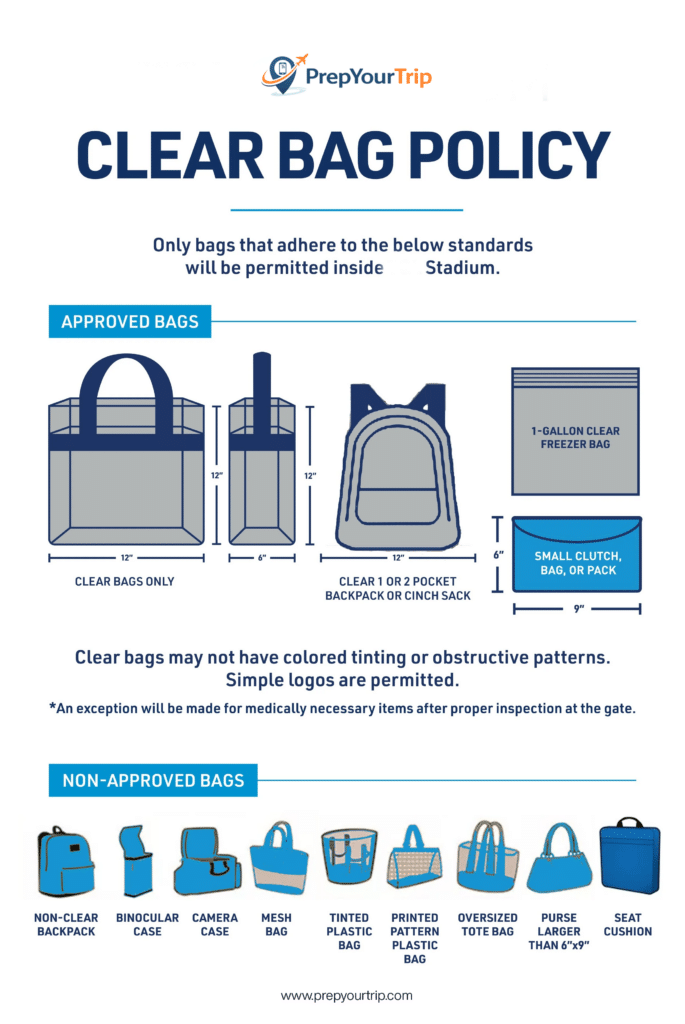
North American stadiums — NFL and MLS venues alike — enforce a strict clear bag policy. Your bag must be transparent (see-through), and typically no larger than 12″ × 6″ × 12″. Standard backpacks, shoulder bags, and tote bags do not comply.
If you arrive at security with a non-compliant bag, stadium staff will ask you to return it to your car or hotel. There are no bag storage services at most North American venues. If your accommodation is 45 minutes away, missing kick-off — or missing the match entirely — is a real possibility.
What to do instead:
Buy a clear stadium bag before you travel. They cost $5–15 and are widely available online and at US retail stores. Pack your match-day essentials — phone, portable charger, sunscreen, snacks, a small water bottle — into the clear bag, not a regular backpack.
Check the specific bag policy for each venue you're attending on the FIFA website. The rules are consistent across most stadiums, but dimensions and exceptions can vary slightly. Don't assume — check.
If you've already arrived in the USA and realised you don't have a compliant bag, most large pharmacies (CVS, Walgreens), Target stores, and Walmart locations sell clear tote bags for a few dollars. It's an easy fix — but only if you realise the problem before you're standing at the stadium gate.
Mistake 7: Using Unlicensed Taxis in Mexico
This is the one mistake on this list with potentially serious consequences beyond money.
Unlicensed street taxis in Mexican cities — including Mexico City, Guadalajara, and Monterrey — have been linked to robbery and what's locally known as “express kidnapping”: being driven to ATMs and forced to make withdrawals. This risk is significantly higher with unregistered vehicles than with app-based services.
What to do instead:
Use Uber or Cabify exclusively in all three Mexican host cities. Both apps show your driver's name, license plate, and real-time route before and during the journey. The fare is agreed in advance, so there are no disputes at the destination. During the heavily-policed World Cup period, both services will be widely available.
If app-based taxis are unavailable in a specific situation — which will be rare during the tournament — use a SITIO licensed radio taxi arranged through your hotel, not a taxi hailed from the street.
This is not about being overly cautious. It's simply the smarter option in every situation: faster, safer, and usually the same price as an unlicensed alternative.
Note that Uber and Cabify require a working data connection to book and track your ride. This is another reason a reliable regional eSIM matters — you don't want to be without data in a city where app-based transport is the safe option.
➡ Safety tips for World Cup 2026 travel
Mistake 8: Scheduling a Match the Day You Arrive
You've booked a long-haul flight from Europe, Asia, or Australia. You land at 2pm after 10–15 hours in the air. The match is at 7pm. You have five hours to clear customs, collect your luggage, get to your hotel, check in, freshen up, navigate to the stadium, and find your seat.
Now add a 45-minute customs queue, a bag that's last off the carousel, a hotel 30 minutes from the stadium, and any minor delay — and you're watching the first half on your phone in an Uber.
What to do instead:
Build at least one full rest day between your international arrival and your first match. Use that day to:
- Get your eSIM activated and working
- Download offline maps for your first city (essential in the USA — data coverage near stadiums can be patchy during events)
- Rest, eat a proper meal, and adjust to the time zone
- Orient yourself: find the stadium route, locate the nearest pharmacy and ATM, identify a reliable restaurant nearby
The World Cup runs for 38 days. There is no scenario where a tight arrival schedule is worth the risk of missing a match you've spent hundreds or thousands of euros to attend.
Mistake 9: Not Having a Group Meeting Point
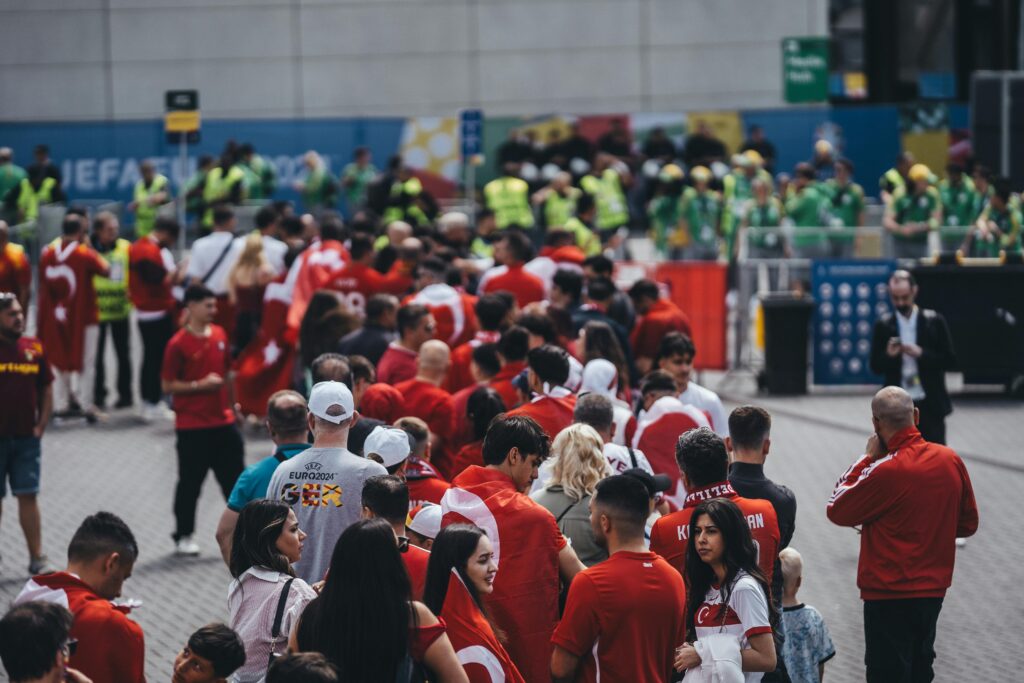
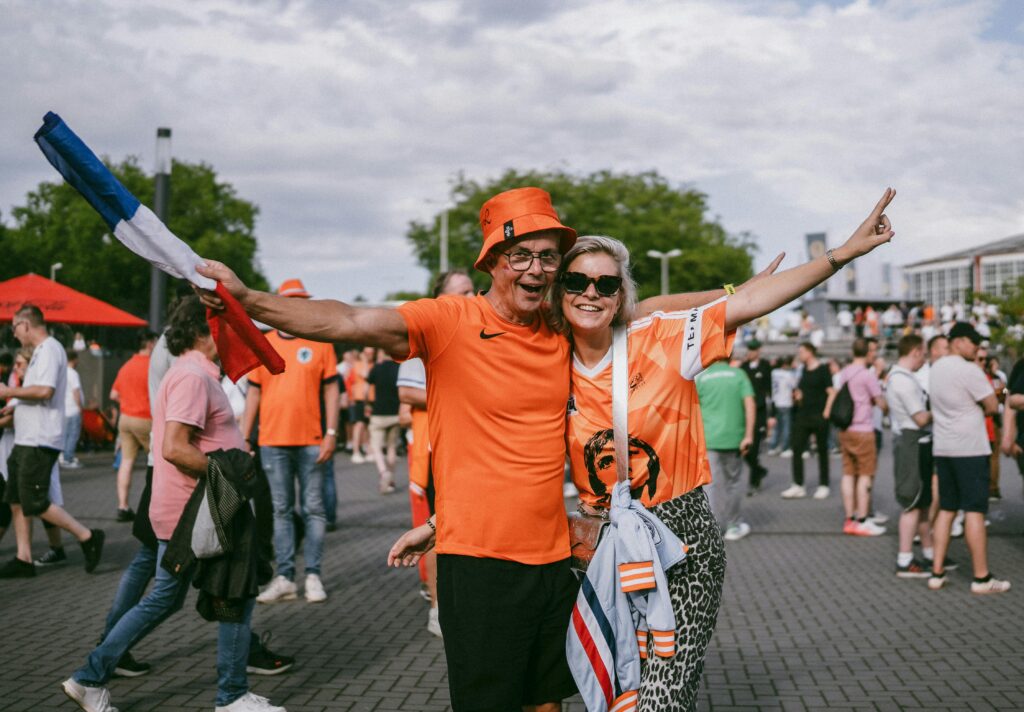
After a match ends at a stadium holding 80,000 fans, the area outside the main entrance is one of the most chaotic places you will encounter. Tens of thousands of people in similar colours, all moving at once, all trying to call or message each other on a network that's handling more simultaneous connections than it was built for.
“We'll find each other outside the main entrance” is not a plan. It's a recipe for a 45-minute search in a crowd.
What to do instead:
Before you enter the stadium — while your phone still has a clear network connection — agree on a specific meeting point with your group. Not “the main entrance.” A named pub three streets away. A specific car park exit. A recognisable statue or building visible from a distance.
Once you've agreed the location:
- Drop a pin and share it via Google Maps or WhatsApp to everyone in your group
- Screenshot the address so it's accessible without a live connection
- Agree on a time: “We meet there at 10 minutes after full time, and we wait for 20 minutes”
Doing this before the match takes two minutes. Not doing it can cost you an hour.
Mistake 10: Underestimating the Heat
European and Asian fans are often not prepared for just how hot parts of North America get in June and July.
Monterrey averages 36–38°C (97–100°F) during tournament months. Miami averages 31–33°C (88–91°F) with high humidity that makes it feel significantly hotter. Houston and Dallas sit in the same range. These are not temperatures to take lightly — particularly when you're standing in a crowd for several hours before, during, and after a match.
Heat exhaustion is a real risk. Symptoms include heavy sweating, cold pale skin, a weak pulse, and nausea. Medical teams will be present at all venues, but getting to that point in the first place is entirely avoidable.
What to do instead:
For any match in Monterrey, Miami, Houston, or Dallas:
- Carry a refillable 750ml water bottle and drink continuously throughout the day — not just during the match
- Wear light-coloured, lightweight, moisture-wicking clothing. Dark national team shirts absorb heat significantly more than light alternatives
- Apply SPF 50+ sunscreen before leaving your accommodation and reapply at lunch
- Eat a full meal before each match. An empty stomach in extreme heat causes dizziness faster than most people expect
- Plan shade into your match-day route — arrive early enough to find covered seating or a shaded area near the stadium
If you're travelling with children or older family members, the heat calculus is even more important. Plan for it, don't react to it.
Mistake 11: Not Carrying Local Cash in Mexico
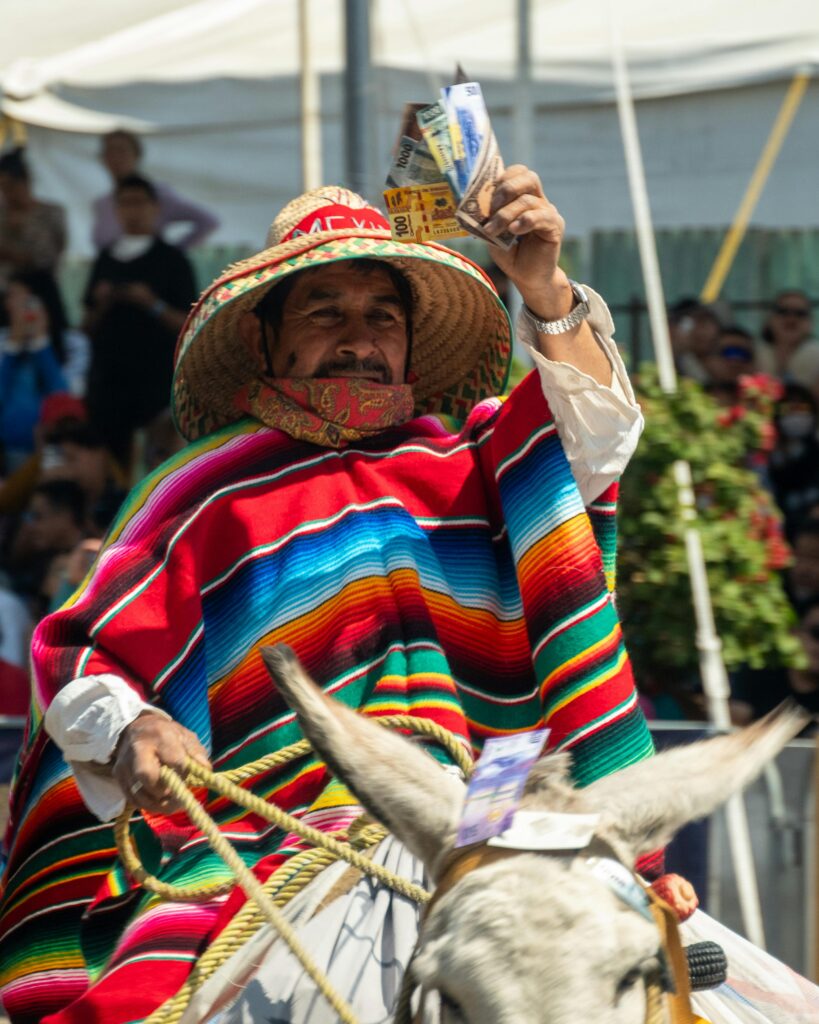

Card payments are widely accepted in Mexico City hotel bars, major restaurants, and larger stadium concessions. But outside those environments, cash is frequently the only option.
Taco stands, market vendors, smaller local restaurants, street food stalls, transport to and from stadiums in residential areas — many of these are cash only. Arriving in Mexico without any local currency and assuming you'll manage on card is a common mistake that leaves fans unable to eat what they actually want to eat, or paying inflated prices at tourist-facing venues that do accept cards.
What to do instead:
On your first day in each Mexican host city, withdraw Mexican Peso from an ATM inside a bank branch or shopping centre. Avoid street ATMs (higher skimming risk) and airport currency exchanges (poor rates, high fees).
A budget of 500–1,000 MXN per day (roughly $25–50 USD) covers street food, local transport, and small purchases comfortably. Keep cash in a front pocket or money belt — not a back pocket, not loose in a bag.
A practical tip: withdraw a larger amount in one go (2,000–3,000 MXN) rather than visiting the ATM every day. Fewer transactions means less exposure to skimming risk, and many bank ATMs charge a small per-transaction fee regardless of amount.
Mistake 12: Not Checking eSIM Compatibility Before You Travel
eSIMs are the easiest, most cost-effective way to stay connected across three countries during the World Cup. But they don't work on every phone — and discovering that at the airport, when you're about to fly, is not the moment to find out.
Some older phone models don't support eSIM at all. Some carriers lock eSIM functionality even on compatible devices. Either issue leaves you buying an overpriced physical SIM at an airport kiosk, or relying on hotel Wi-Fi for the first few days of your trip.
What to do instead:
Check your phone's eSIM compatibility before you purchase a plan:
- iPhone: Settings → General → About → look for “Available SIMs” or an eSIM option
- Android: Settings → Connections → SIM Manager
If there's no eSIM option visible, your phone doesn't support it. In that case, buy a local physical SIM in the USA when you arrive — there are kiosks at all major US airports and convenience stores near most tourist areas.
If you do see an eSIM option, also confirm with your home carrier that eSIM is unlocked on your account. Some carriers lock it by default, particularly on devices purchased through a contract.
Do this check at home, not at the departure gate.
➡ Best eSIM for World Cup 2026
Mistake 13: Leaving Accommodation Booking Too Late
The assumption that “something will come up closer to the time” doesn't hold during the World Cup. In New York, Los Angeles, Miami, and Dallas during match weeks in June and July 2026, standard hotel inventory at reasonable prices is either already sold out or priced at three to five times the normal rate.
This isn't speculation — it's what happens at every major international sporting event in host cities. The accommodation market moves early, and it doesn't move back down.
What to do instead:
If you haven't booked yet, do it now — not next month.
A few strategies that help when central options are gone or out of budget:
- Check Airbnb and VRBO first. Short-term rental inventory tends to outlast hotel inventory in tight markets, and apartments near stadiums often appear later than hotels sell out
- Consider adjacent cities. Newark works perfectly well for New York matches (NJ Transit runs directly to MetLife). Long Beach or Anaheim covers LA matches at a fraction of central LA prices. Fort Worth is well-connected to Dallas venues
- Be flexible on accommodation type. A comfortable apartment 20 minutes from the stadium by metro is a better option than an expensive, mediocre hotel room in a “prime” location
Every week of delay narrows your options and raises your price. There is no advantage to waiting.
Your place to go to find accommodation for the World Cup
➡ Last-minute accommodation guide
➡ Where to stay if everything is fully booked
Mistake 14: Forgetting to Charge Your Power Bank
A portable charger you forgot to charge the night before is useless. And on match day, a dead phone means no ticket, no navigation, no communication with your group, and no way to call an Uber home.
This sounds obvious. It happens more than you'd think — particularly mid-tournament when routines slip and the novelty of checking every device before bed has worn off.
What to do instead:
Add “charge power bank to 100%” to your night-before checklist, alongside charging your phone and checking that your ticket screenshot is saved and accessible. A 20,000 mAh power bank takes 4–6 hours to fully charge from flat. You cannot improvise that at the stadium.
A quality power bank (20,000 mAh) will give most smartphones 4–5 full charges. For a long match day — travel to the stadium, the match itself, and the journey home — that capacity is worth having.
If you don't yet have a power bank, or you're travelling with one that's only 5,000–10,000 mAh, consider upgrading before you fly. At packed stadiums with overloaded networks, your phone works harder to maintain a signal — which drains the battery faster than normal use. A 20,000 mAh bank handles a full match day with capacity to spare.
Mistake 15: Assuming Every Host City Has the Same Vibe

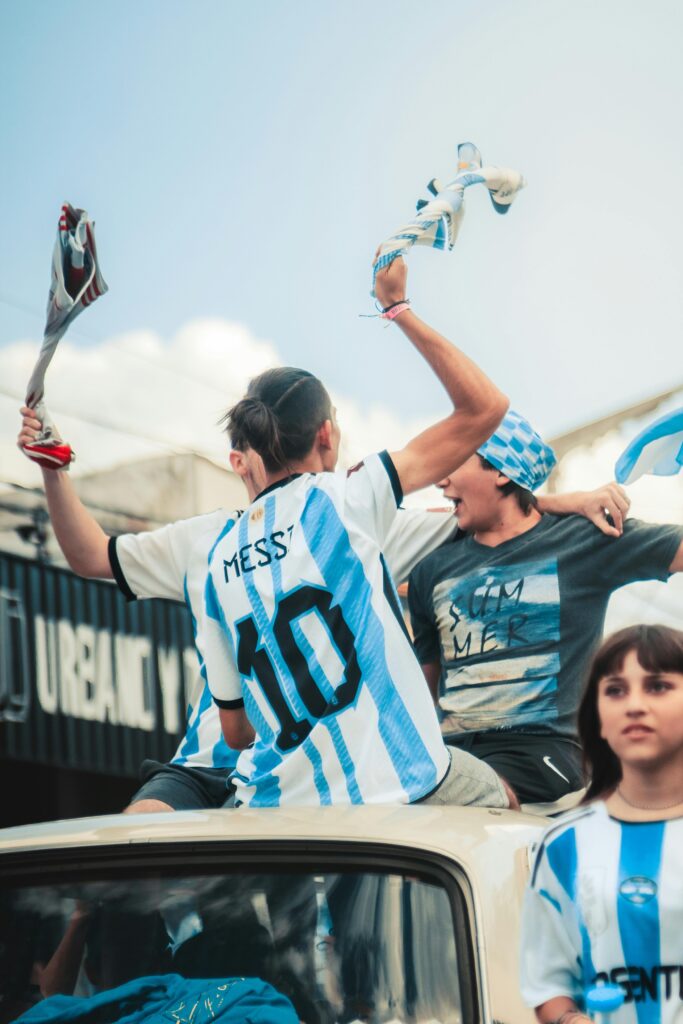
The World Cup spans 16 cities across three countries and dozens of climate zones, cultures, and transport systems. Treating them as interchangeable “World Cup venues” and applying the same preparation to all of them is a mistake.
The gap between Vancouver and Monterrey is enormous. Vancouver has mild summer weather, an excellent public transit system, and a relaxed Pacific Northwest atmosphere. Monterrey has extreme heat, limited public transit, an industrial city character, and a very different safety profile. Miami's Latin American party atmosphere and humidity-heavy summer nights are nothing like Seattle's temperate, outdoorsy Pacific Northwest culture. Mexico City is one of the world's great cultural capitals — arriving there with only a stadium and a hotel on your agenda is genuinely missing something special.
What to do instead:
Before arriving in each new host city, spend 20 minutes reading a city-specific guide. Understand:
- Climate and clothing — temperatures vary by more than 20°C across host cities. What works in Seattle will leave you exhausted in Monterrey
- Transport options — some cities are walkable and transit-friendly; others require a car or ride-hailing app for virtually every journey
- Cultural context — Mexico City, Guadalajara, and Monterrey each have their own character. Arriving with some basic awareness makes the experience significantly richer
- Safety profile — varies considerably between countries and between cities within the same country. A few minutes of research is worth it
The World Cup is not just 104 matches. It's three countries, multiple cultures, and experiences that won't repeat for another four years. Treat each city as its own destination, not just a stadium transit point.
➡ Things-to-do guides: New York · Miami · Mexico City · Toronto · Vancouver
Staying Connected at the World Cup 2026
Several of the mistakes above — roaming charges, single-country eSIMs, compatibility issues — all come back to the same thing: not having a reliable mobile data plan before you arrive.
The short version: a North America regional eSIM is the right solution for most fans attending the World Cup. It covers all three host countries on a single plan, activates before you fly, and costs a fraction of what carrier roaming charges would add up to over a multi-week trip.
What to look for when choosing a plan:
- Coverage: Confirm the plan covers USA, Mexico, and Canada — not just one or two countries
- Data allowance: Budget at least 10–15GB for a trip covering multiple cities. Heavy map use, streaming match highlights, and video calls add up quickly
- Validity period: Make sure the plan stays active for your full travel window, including any buffer days at either end
- Activation: eSIMs can be installed before departure and activated on arrival. Set this up at home, not at the airport
Three providers worth checking: Airalo (strong North America regional plans, easy app), Saily (competitive pricing, good coverage in Mexico), and Holafly (unlimited data options, useful if you're a heavy user).
Before purchasing, complete the compatibility check from Mistake 12. An eSIM purchased for an incompatible or carrier-locked phone is money wasted.
➡ Best eSIM for World Cup 2026
➡ How to stay connected without roaming fees
Frequently Asked Questions
What is the most expensive mistake fans make at the World Cup?
Activating data roaming without a plan is consistently the most financially costly mistake, per-use data rates of $2.05/MB can generate $200-500 bills from a single day of normal smartphone use. A North America regional eSIM costing $23-60 eliminates this entirely.
Is it really dangerous to use street taxis in Mexico?
During the heavily-policed World Cup period, risk in tourist areas is significantly reduced compared to normal conditions. That said, using Uber or Cabify is always safer, more transparent, and typically the same price as a street taxi — there's no practical reason to use an unlicensed alternative when app-based options work reliably in all three Mexican host cities.
What happens if I arrive at the stadium with the wrong bag?
Security staff will ask you to return it to your car or accommodation before entry. Most North American stadiums do not offer bag storage services. If your hotel is 30+ minutes away, you will miss kick-off or miss the match entirely. Check the bag policy for your specific venue on the FIFA website before match day, and pack only what fits in a compliant clear bag.
How much cash should I carry in Mexico?
500–1,000 MXN per day (approximately $25–50 USD) covers street food, local transport, and small purchases comfortably. Withdraw from ATMs inside bank branches for security, not from street ATMs or airport exchange desks. Major venues and restaurants accept cards, but street food and smaller local businesses are frequently cash only.
Can I manage the whole trip without much advance planning?
In theory, yes, but in practice, fans who arrive without pre-booked accommodation, no eSIM, and no offline maps face significantly higher costs, longer queues, and unnecessary stress. The minimum we'd recommend doing before you fly: book accommodation, install a regional eSIM, and download offline maps for your first city. Everything else can be sorted on the ground.
What if my phone doesn't support eSIM?
Buy a local physical SIM in the USA when you arrive. Airport kiosks at all major US international airports sell prepaid SIM cards from T-Mobile, AT&T, and regional providers. Alternatively, you can pick one up at a convenience store or phone shop near your hotel in the first day or two. For Mexico, Telcel SIM cards are widely available and offer good coverage across all three Mexican host cities.
How do I avoid surge pricing on Uber after a match?
After a match ends, every fan in the area is trying to book a ride simultaneously. Surge pricing can push fares to 3–4x the normal rate. A few options that help: walk 10–15 minutes away from the main stadium exit before requesting a car, use public transit for the first leg of the journey where it's available, or plan to wait 30–45 minutes in a bar or restaurant nearby until demand drops. In Mexico, Cabify sometimes has shorter surges than Uber — worth checking both apps.
Is it worth buying travel insurance for the World Cup?
Yes. A trip involving three countries, multiple domestic flights, and accommodation across 38 days has a lot of moving parts. Medical costs in the USA without insurance can be very high. A comprehensive travel policy covering medical, trip cancellation, and lost luggage is worth the cost — especially given the non-refundable nature of most match tickets.
Final Thoughts
The World Cup 2026 is a once-in-a-generation event. Three countries, 16 cities, 104 matches — and the kind of atmosphere that only happens when the whole world shows up in one place.
Most of the mistakes in this guide are easy to avoid once you know about them. The roaming bill, the wrong bag, the unlicensed taxi, the dead power bank — none of these have to be part of your story. A few hours of preparation before you fly is all it takes to sidestep the problems that consistently catch fans out.
Add your first comment to this post